PaceTasks fits your tasks around your work on iPhone. DeskFocus, which comes with it, keeps
the one you're doing on your Mac desktop, with a focus timer and your distracting apps out of sight.
PaceTasks is coming soon to iPhone. DeskFocus runs on macOS 14 Sonoma or later.
Today
25:00
Focusing on
Pick a task in the DeskFocus widget and press Start. PaceTasks tasks in the widget are
coming soon. The demo runs on sample tasks, and nothing you type leaves your browser.
One list, from your pocket to your desk.
PaceTasks works out when each task fits into your day. DeskFocus keeps you on it once you sit down. Here is a
day with both.
On your iPhone
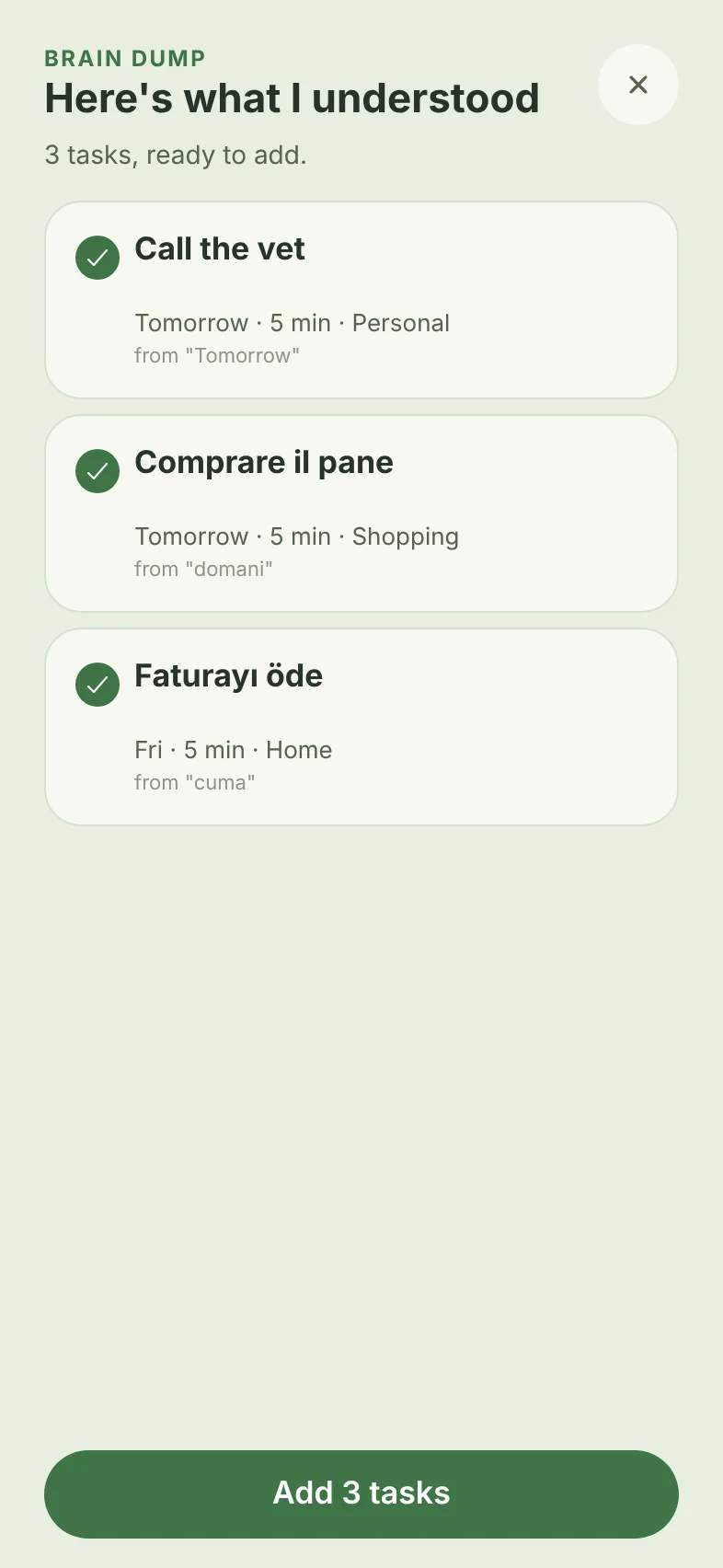
Say everything at once.
On the way to work, tap the microphone and type or dictate whatever is on your mind, in English, Italian,
Turkish or a mix. PaceTasks shows the tasks it understood before anything is added.
“Tomorrow call the vet, domani comprare il pane, cuma günü faturayı öde”
On your Mac
Today is already on your desk.
DeskFocus puts your iCloud Calendar and Reminders, Google Calendar and Google Tasks on your Mac desktop
as one list, and your PaceTasks list is coming soon. It shows as a widget, in the menu bar or as a glass
panel, so what's next is always a glance away.
Today's list comes from
iCloud Calendar
iCloud Reminders
Google Calendar and Tasks
PaceTasks Coming soon
One list on your desktop
On your Mac
One task, one timer, nothing pulling you away.
Press Start on any task and its timer runs on your desktop. The apps you choose are hidden until the
session ends, or quit in strict mode. When the time is up, Done ticks the task off where it came from.
On your iPhone
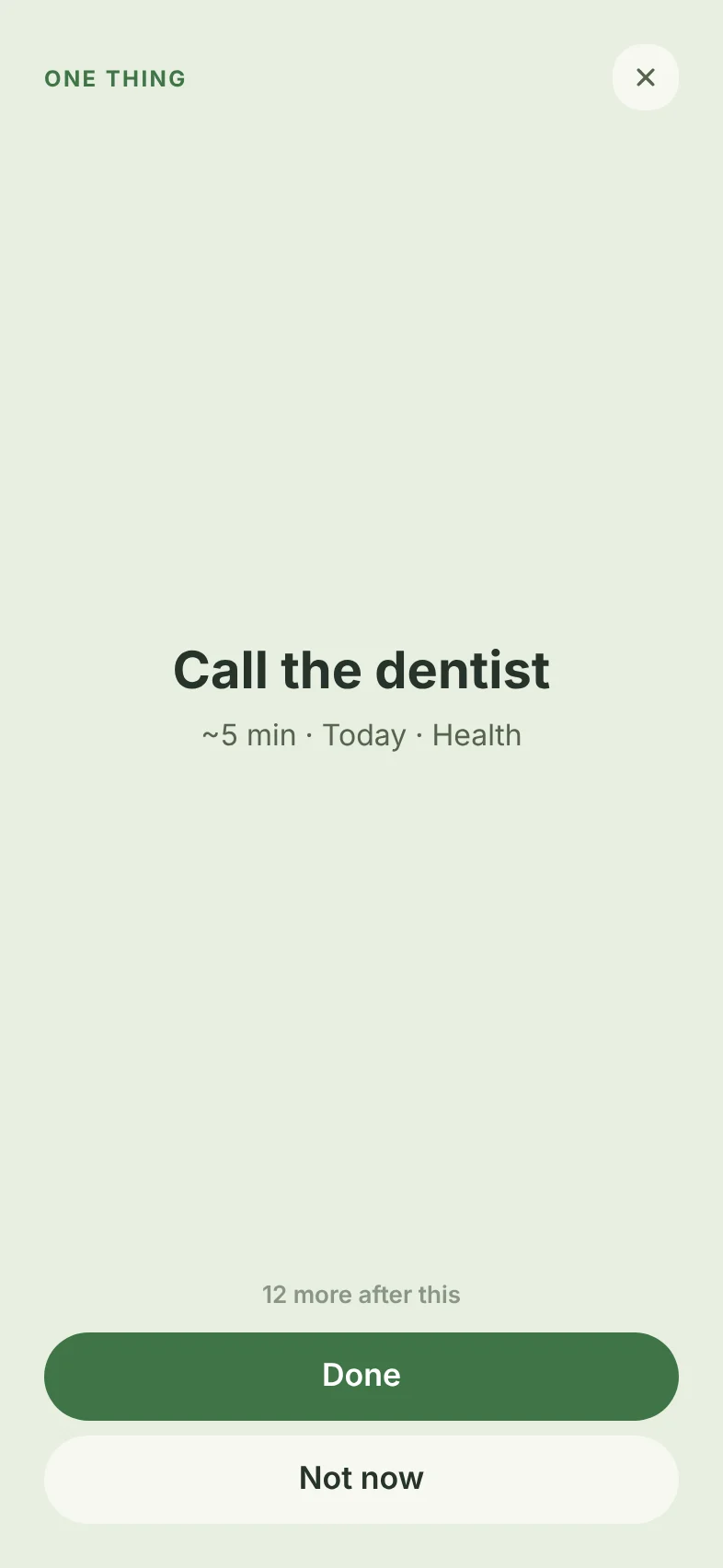
Can't decide? It picks for you.
Tap Pick my next task. Decide for me shows one task: a quick win while
there is one, then whatever matters most. Fit my time asks how long you have, from 5 minutes
to an hour, and lists the tasks that fit.
On your iPhone
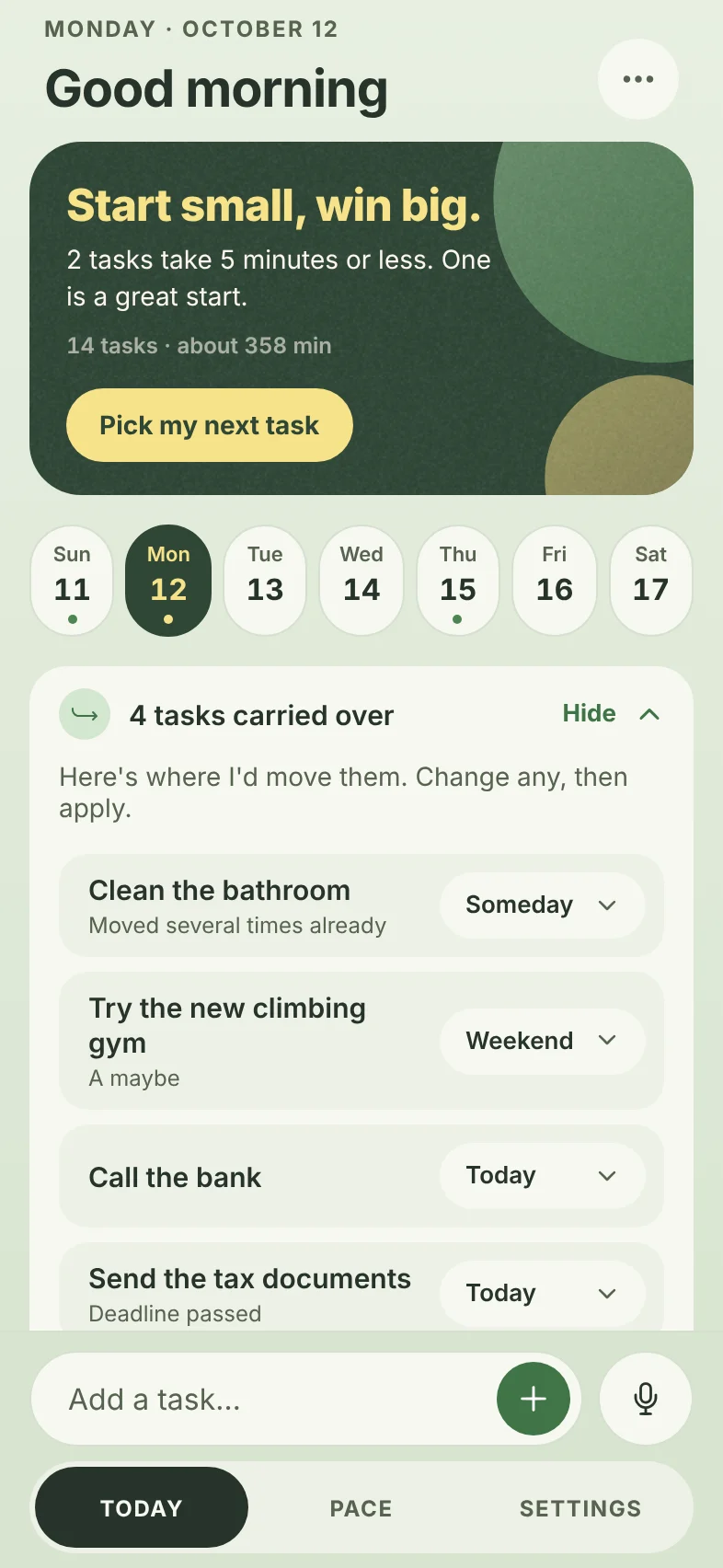
Unfinished tasks find a new day.
Yesterday's leftovers don't pile up. One row on Today proposes where each should go: today, tomorrow, the
weekend or someday. Change any of them, then apply. When tasks have waited too long,
Weekly Reset walks you through them one at a time.
On your iPhone
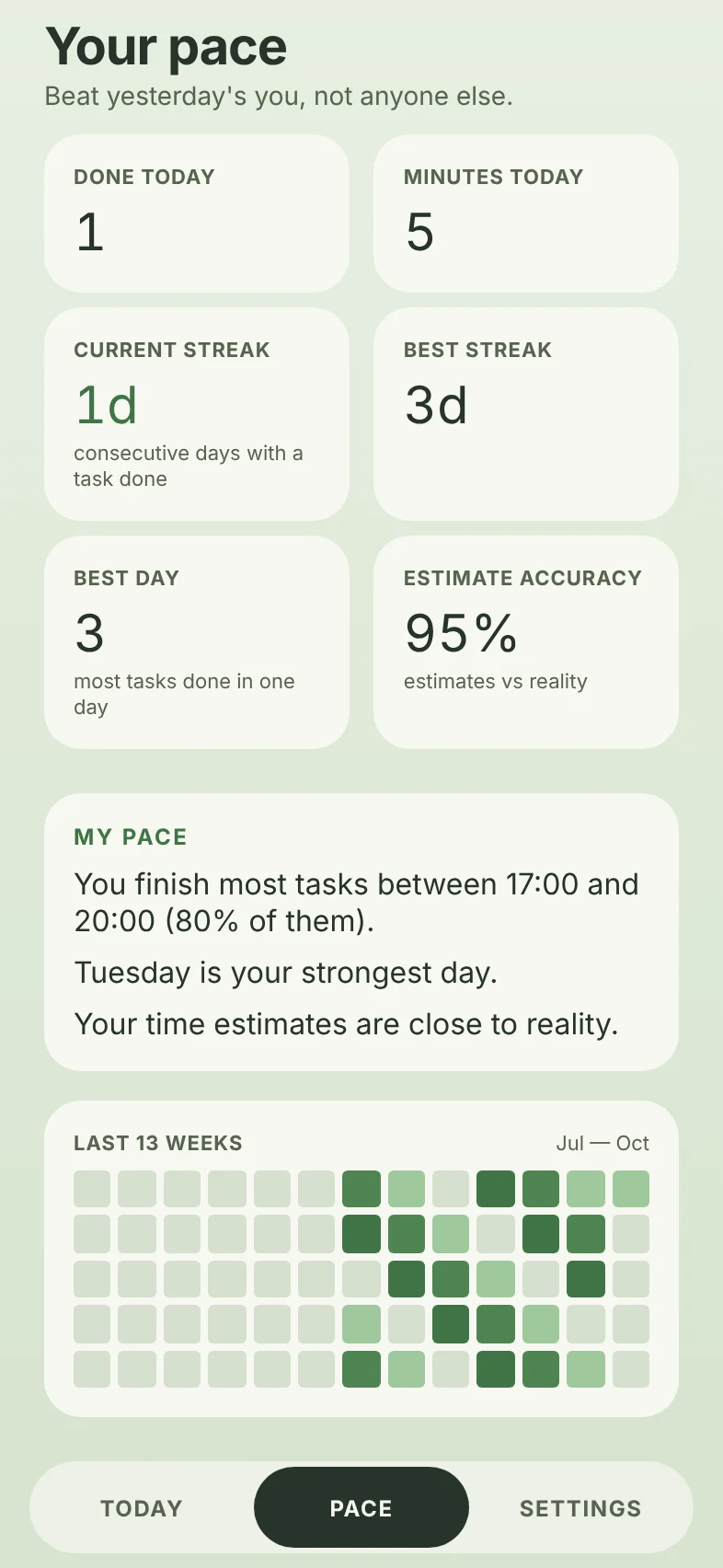
Compete only with your own pace.
Streaks, minutes, a 13-week heatmap and how close your estimates come to reality. After ten finished
tasks, My Pace tells you in plain sentences when you get the most done.
Two apps, sold together.
Get PaceTasks for your iPhone and DeskFocus for your Mac as one: plan in one place, focus in the other. Soon
your PaceTasks tasks will show up in DeskFocus too. Every purchase comes with a
14-day refund. See what is free and what Pro costs.
PaceTasks
For iPhone
Plans your tasks around your work, with the time and energy you really have.
macOS 14 Sonoma or later. A direct download, not from the Mac App Store.
Free to plan your day. Pro when you want more.
Everything you need for today is free, with no limit on tasks. One Pro covers PaceTasks on your iPhone and
DeskFocus on your Mac.
Free
€0for as long as you like
As many tasks as you want, on any day
Your own start times, durations and reminders
Pick my next task and Fit my time
A timer on every task
Today's numbers in My Pace
The DeskFocus widget on your Mac
No account and no card needed.
Pro
€24.99a year, after a 7-day free trialBest value
€3.99a month
€59.99once, yours for good
Everything in Free
Brain Dump: say everything at once, in English, Italian or Turkish
My Pace beyond today: your week and your history
Siri, as soon as it ships
DeskFocus Pro on your Mac, at no extra cost
Pro opens with the iPhone release. Prices are in euro; the App Store shows the price
for your country. 14-day refund on every purchase.
Your tasks stay yours.
No ads, no trackers, no analytics.In either app. Your data is never sold or shared for marketing.
No account needed.PaceTasks works the moment you open it. Add your email later to keep your tasks when you change phones,
with a sign-in code instead of a password.
DeskFocus stays on your Mac.It reads your calendars and reminders on your device and talks to Google directly. Your Google sign-in
is kept in your Keychain, and nothing passes through our server.
Delete everything from the app.One option in PaceTasks Settings erases your tasks and account from our server straight away.
Brain Dump stays with PaceTasks.Your text is read by PaceTasks' own rules, not sent to an AI company.
DeskFocus is ready to download for Mac. PaceTasks is getting ready for its first beta on iPhone; until then,
the demo runs the whole app in your browser with sample tasks.
Do I need a Mac to use PaceTasks?
No. PaceTasks works on its own on your iPhone. DeskFocus adds your Mac desktop for the hours you sit down to
work.
When will my PaceTasks tasks show up in DeskFocus?
Soon, in an update to both apps. Today DeskFocus shows iCloud Calendar, iCloud Reminders, Google Calendar
and Google Tasks.
Which Macs does DeskFocus run on?
Any Mac with macOS 14 Sonoma or later.
Is DeskFocus on the Mac App Store?
No. DeskFocus is a direct download: open the file and drag DeskFocus into Applications. After that it keeps
itself up to date.
What does Pro cost?
€24.99 a year with a 7-day free trial, €3.99 a month, or €59.99 once for good. The App Store shows the
price for your country. One Pro covers PaceTasks and DeskFocus; planning your day stays free.
Can I get a refund?
Yes, within 14 days of being charged, for any reason. The refund policy says
how for App Store and Paddle purchases.
Is there an Android version?
Not yet. PaceTasks is for iPhone, and DeskFocus for Mac.
Does the demo keep what I type?
No. It runs entirely in your browser on sample tasks, and everything resets when you reload.